Small tools.
Not every problem needs a giant app. Sometimes the right tool is focused.
A working voucher calculator combines document capture, editable fields, time-and-rate calculations, and output preparation. The person using it checks the source and the result before relying on either.
A built tool, not a claim of payroll certification or measured time savings. Unclear documents and unusual rules still need review.
Not every problem needs a giant app. Sometimes the right tool is focused.
The work starts from a calculation, document, review queue, or repeated admin step.
Early tools can be tested with real work before they become part of the main process.
A useful prototype can become a stronger workflow when the pattern proves itself.
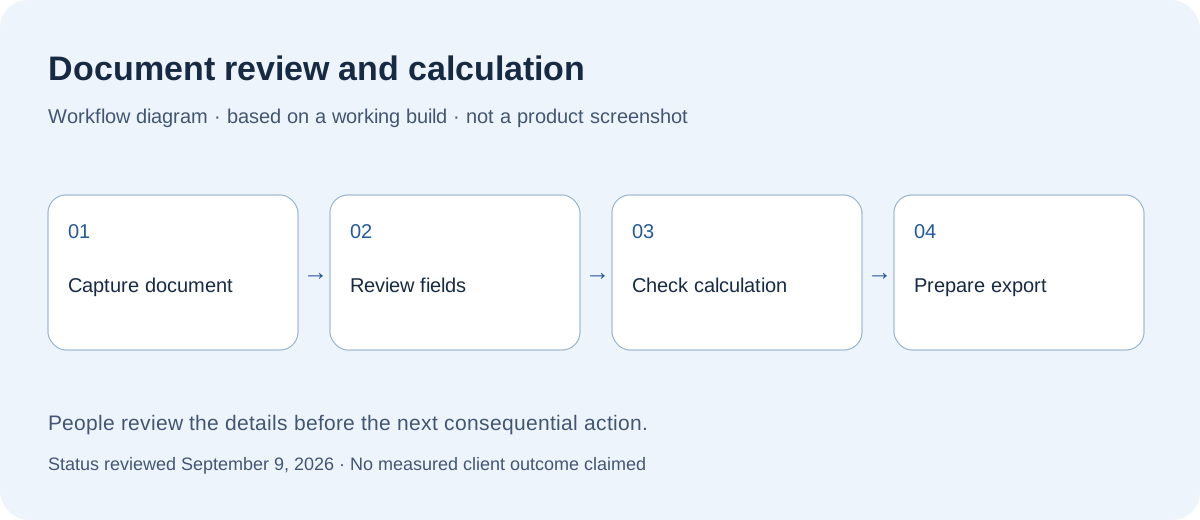
This example focuses on one repeatable document-and-calculation job, with review kept visible.
Capture voucher details and compare extracted values with the document. Poor scans and handwriting may need manual correction.
Review work times, travel, allowances, and relevant rate inputs before calculating.
Defined rule cases have regression checks. Those checks do not establish that every document or exceptional situation is handled.
Prepare the checked result for export and further review. Final payroll decisions remain with the responsible person.
The first version should be useful enough to try, then honest enough to improve.
Capture the document and bring relevant details into editable fields.
Compare values against the source, correct uncertain fields, and inspect the time-and-rate result.
Export the reviewed output for the next step, keeping final approval separate from calculation.
The goal is not a flashy tool. The goal is fewer dropped details, clearer next steps, and less admin pressure on the owner.
A working calculation tool can demonstrate a process without proving business results or universal accuracy.
The voucher calculator is a working tool with document capture, editable inputs, rule-based calculation, and output preparation.
Document extraction can be wrong. Rates and unusual cases need review against applicable terms. This is not a guarantee of payroll or accounting accuracy.
A document-to-reviewed-fields-to-output path can reduce retyping steps. No measured reduction in time or errors is claimed here.
We can help decide whether to build a calculator, extractor, dashboard, small app, or just a cleaner workflow.
Prefer email? hello@digitalrefraction.com